-
DD
KeymasterFixed file is available for download https://themeforest.net/downloads
KeymasterSeptember 26, 2019 at 15:19 in reply to: blog posts + breadcrumbsDid you upload this image here? – http://diaboliquedesign.com/screenshots/1/screenshot_at_17-19-46.png
KeymasterIt looks like one file was missed. I just uploaded fixed file to themeforest and let you know here when it will be approved for download.
KeymasterSeptember 26, 2019 at 15:02 in reply to: blog posts + breadcrumbsWhat is the image size generated? Is it 960 px × 540 px? Can you show a screenshot how the problem looks like?
KeymasterSeptember 26, 2019 at 12:42 in reply to: blog posts + breadcrumbsHello
1. Maybe you are uploading just too small image? It should be bigger then 960 px × 540 px
3. What version of theme do you use? I can’t duplicate your problem – http://diaboliquedesign.com/demo/onecommunity-new/category/gadgets/
KeymasterSeptember 23, 2019 at 14:42 in reply to: menu container above rightHello
There are separated translation for menu title and slug, slug is starting with small cap.
KeymasterSeptember 22, 2019 at 10:32 in reply to: CSS problemIt’s over here – http://diaboliquedesign.com/screenshots/1/screenshot_at_12-32-15.png
KeymasterSeptember 21, 2019 at 19:29 in reply to: CSS problemHello
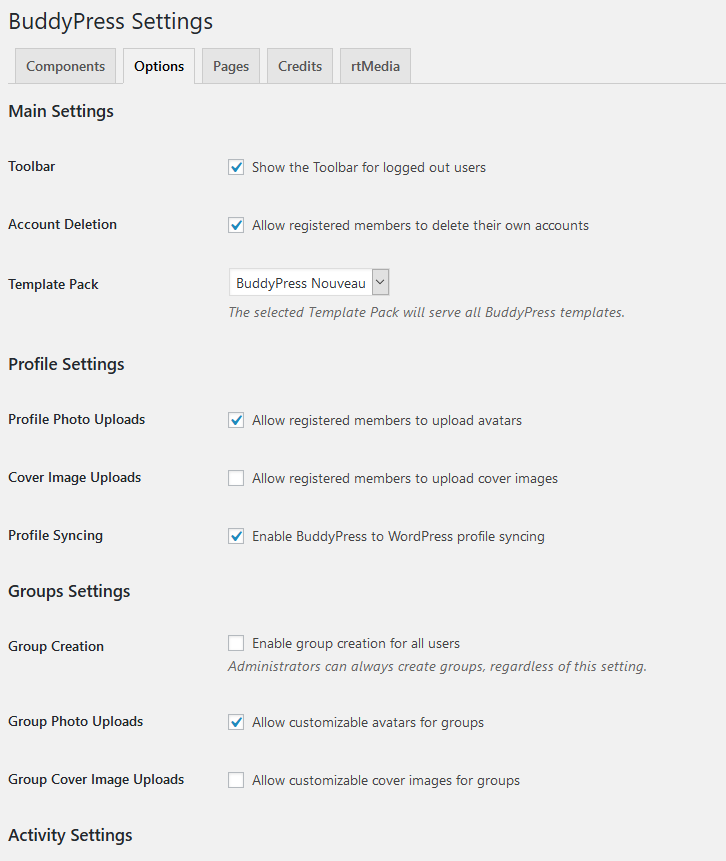
It looks like you enabled cover layout under settings -> buddypress which should be disabled.
KeymasterI can’t duplicate your problem – http://diaboliquedesign.com/demo/communityjunction/members/admin/activity/231/
Bbpress doesn’t support mentions, it’s a buddypress functionality.
KeymasterSeptember 19, 2019 at 09:48 in reply to: Changing to Blog MasonryYou should go to wp dashboard -> pages -> blog and under page attributes choose Blog Masonry
KeymasterHello
You should replace following file in theme folder -> audio/alert.mp3
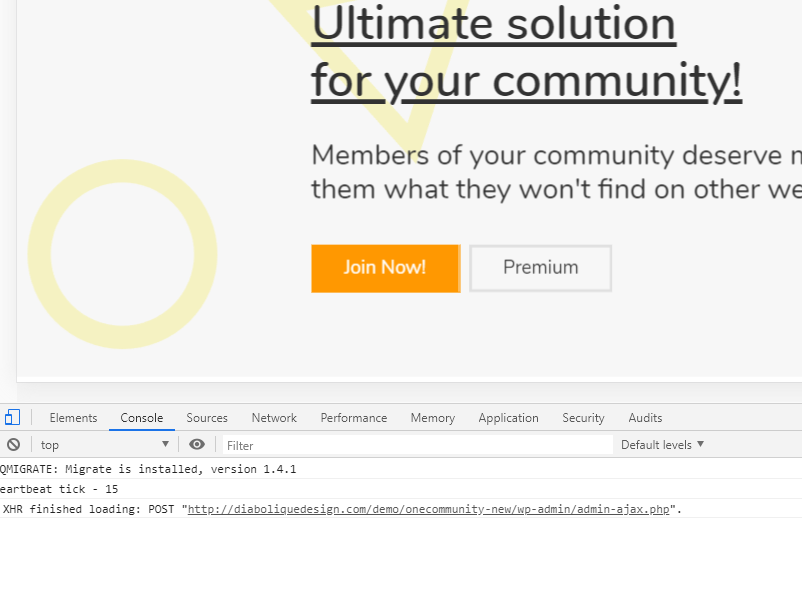
KeymasterSeptember 19, 2019 at 09:27 in reply to: Activity and groups Multimedia files does not appear on publications.You can check out the console logs while uploading – http://diaboliquedesign.com/screenshots/1/screenshot_at_11-18-16.png
ctrl + shift + I in chrome
KeymasterSeptember 18, 2019 at 11:36 in reply to: Activity and groups Multimedia files does not appear on publications.It doesn’t look like a rtmedia plugin – https://gyazo.com/23c30825526cf447b2bb7543e0300a2f
What plugin do you use to upload images? Maybe this plugin is just broken?KeymasterYou should remove translations starting from small cap.
KeymasterSeptember 16, 2019 at 10:51 in reply to: template in elementorHello
What PHP version do you use? Try 7.1
KeymasterHello
1.
2a. Use following css
.footer-logo img { height: 44px; }2b. Open footer.php and replace this part https://pastebin.com/jarzHyNS
3. http://diaboliquedesign.com/demo/onecommunity-new/Help/#ads
4. This plugin allows signatures – https://wordpress.org/plugins/gd-bbpress-tools/
5. Open style.css and replace
width: 1240px;for
width: 100%;6&7. You shouldn’t translate slugs to notifications etc.
-
This reply was modified 6 years ago by
DD.
KeymasterHello
Here is a link – https://we.tl/t-RkDbfLqnXs
KeymasterSeptember 11, 2019 at 15:57 in reply to: Activity and groups Multimedia files does not appear on publications.Hello
It can be folder writting permissions issue Do you have the same problem with featured images of posts? Can you test it under some default theme?
KeymasterOpen single.php then remove everything and paste it https://pastebin.com/jRawXUwS
KeymasterSeptember 9, 2019 at 21:33 in reply to: template frontpagePlease check it out https://docs.elementor.com/article/227-undefined-error-while-loading-templates
I’m trying to edit the groups page, it already throws an error when I try to activate Elementor. The error message is “Sorry, the content area was not found in your page, you must call the content function in the current template. Did I install a different version of the template?
There is absolutely no way with every theme to edit buddypress pages with any page builder.
KeymasterSeptember 9, 2019 at 21:29 in reply to: Youzer Profile & Gamipress3. Try to generate your new whole code on addthis.com
4. No problem, I need more details.
Use following css
.em-location-map-container { width: 625px !important; }Keymaster1. No
2. Do you mean below all text or just intro text?KeymasterThere should be following part of code
<?php the_post_thumbnail('post-thumbnail'); DD_the_post_thumbnail_caption(); ?>KeymasterSeptember 7, 2019 at 19:30 in reply to: Youzer Profile & Gamipress1. I can give you solution but after next sunday.
KeymasterSeptember 7, 2019 at 19:29 in reply to: Buddypress Members MisalignedUse following css
#members-list { display: flex; flex-wrap: wrap; }KeymasterProbably you edited single.php too.
KeymasterSeptember 7, 2019 at 19:20 in reply to: Youzer Profile & GamipressHello
1. Youzer doesn’t work with gamipress.
2. Style of learnpress is in the wp-content/themes/onecommunity/learnpress/ folder and style.css – 12.7 – LearnPress
3. Open the wp-content/themes/onecommunity/single.php file and replace pubid=xa-504612076f0dbf6b
You can create own id on addthis.com
4. No need for pro version. Does it work when a default WP theme is active.
5. No, you can use following css
header#main { background:#cccccc; }
Also check it out – http://diaboliquedesign.com/demo/onecommunity-new/Help/#customize
6. You can change different profile layouts under youzer settings.KeymasterSeptember 7, 2019 at 19:00 in reply to: Youzer and RtMediaNo, youzer has own media management system.
KeymasterWithout checking out the code nobody will help you.
KeymasterThe code was following
KeymasterOpen onecommunity\js\functions.js and remove this part of code – https://pastebin.com/CR0QTsfa
KeymasterTry following css
.wp-caption { padding:7px; border:1px solid #cccccc; box-sizing: border-box; float:left; }KeymasterCan you show a screenshot how does it look?
KeymasterReplace this code – https://pastebin.com/XjeYTH3R
KeymasterYou should put this code into blog.php too.
KeymasterAugust 28, 2019 at 11:01 in reply to: Shortcode dd-blog-tilesYou can leave it.
KeymasterAre you sure you are talking about category page – http://diaboliquedesign.com/demo/communityjunction/category/gadgets/
not this one – http://diaboliquedesign.com/demo/communityjunction/blog/
You can try this css
.thumbnail-1908 { display:none!important; }KeymasterYou should go to Appearance -> Theme Editor -> Theme Files -> Buddypress -> Groups -> Single -> group-sidebar.php and replace this code with google adsense code.
KeymasterOpen archive.php and replace
class="thumbnail"for
class="thumbnail thumbnail-<?php the_ID(); ?>"Now you can use following css
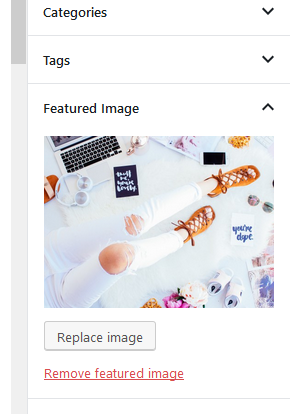
.thumbnail-99 { display:none; }KeymasterAugust 27, 2019 at 13:32 in reply to: Shortcode dd-blog-tilesYou should remove featured image and upload it once again.
KeymasterAugust 27, 2019 at 08:40 in reply to: Shortcode dd-blog-tilesI think you shoud change it in the main theme’s functions.php file.
KeymasterText could gone bebecause you have too long title so in this case you should reduce font size.
Also, sorry to say the hide featured image snippet appears to have stopped working. I only tried it on one post, and it worked initially, but not the featured imagine has returned. Weird.
Probably you put wrong post ID. Also you can try put !important
body.postid-51.single-post .thumbnail, body.postid-52.single-post .thumbnail { display:none!important; }KeymasterYou can change it in onecommunity/css/responsive.css
#content { width:100%; }#sidebar { width:100%; }… but in my opinion there is no space for sidebar on the right side.
KeymasterYou can reduce font size with following css snippet
.blog-tiles-main .box-post-big .tile-post-title a { font-size:40px; }KeymasterAugust 26, 2019 at 11:28 in reply to: Shortcode dd-blog-tilesYou should resubmit featured image once again so wordpress will create thumbnail with proper size.
KeymasterYou should add it first
<?phpKeymasterMost likely you are using old PHP 5.x version or you have too low memory limit -> https://docs.elementor.com/article/38-requirements
KeymasterAugust 25, 2019 at 08:13 in reply to: Shortcode dd-blog-tilesPut it in the child theme.
This is how it should look -> http://diaboliquedesign.com/screenshots/1/Screenshot-at-10-12-52.pngKeymasterTry to put this whole code in the child theme -> https://pastebin.com/tGUcPQmX
KeymasterAugust 24, 2019 at 10:26 in reply to: Shortcode dd-blog-tilesYou should add following additional code
add_image_size( 'tile-1', 700, 700, true );
add_image_size( 'tile-2', 400, 400, true );
in theme’s functions.php just after
add_image_size( 'post-thumbnail', 400, 270, true );
add_image_size( 'related-posts', 230, 160, true );
and resubmit festured images.
– Is there a way to display posts from just one category?
Open wp-content/plugins/communityjunction-shortcodes/communityjunction-shortcodes.php and inside the dd_blog_tiles function add &cat=10 after
posts_per_page=1 and posts_per_page=4, 10 is category id.Keymaster1. Open the functions.php file and modify following parameters
add_image_size( 'post-thumbnail', 400, 270, true );
add_image_size( 'related-posts', 230, 160, true );
Now you can use following css
div.thumbnail {
    margin: 7px 0 7px 0;
    width: 100%;
}
2. Try it
body.postid-51.single-post .thumbnail { display:none; }replace 51 number
KeymasterThis sidebar is shortcodes based.
Please check it out – http://diaboliquedesign.com/demo/onecommunity-new/Help/#adsKeymasterHello
Please check it out – http://diaboliquedesign.com/demo/onecommunity-new/Help/#ads
KeymasterPlease open the wp-content/themes/onecommunity/bbpress/loop-single-forum.php file, remove everything and paste it https://pastebin.com/raw/4v7HrFhW
KeymasterAugust 22, 2019 at 09:47 in reply to: Optimization ThemeAlso you can check out here does your hosting supports http/2 – https://tools.keycdn.com/http2-test
KeymasterAugust 22, 2019 at 09:41 in reply to: Optimization ThemeHello
This plugin works fine with theme – https://wordpress.org/plugins/autoptimize/
Preloader can be disabled under appearance -> customize
KeymasterYou can upload these images manually.
KeymasterCan you check out using a files manager is this image is here – wp-content/uploads/2019/08/LaVecindad-Evento-SteamMexico.jpg
KeymasterTry to remove .mx_. from the image name.
KeymasterWith Elementor you can use the Frontpage Page Builder page template only.
KeymasterFirst please tell me what the front page template do you use? Frontpage 1? Frontpage 2? Elementor?
KeymasterIt looks like only admins can delete activities. Anyway you can try to find some solution on the buddypress forum.
KeymasterHello
It’s shortcode based sidebar and it can be customized here wp-content/themes/onecommunity/buddypress/groups/single/group-sidebar.php
KeymasterAugust 17, 2019 at 11:35 in reply to: Registration CustomizationHello
Emails can be customized under wp dashboard -> emails
Open wp-content\plugins\buddypress\bp-templates\bp-nouveau\includes\groups\template-tags.php (you can move this file into the theme folder) and insert your code just after https://pastebin.com/YqVEg4xw
KeymasterHello
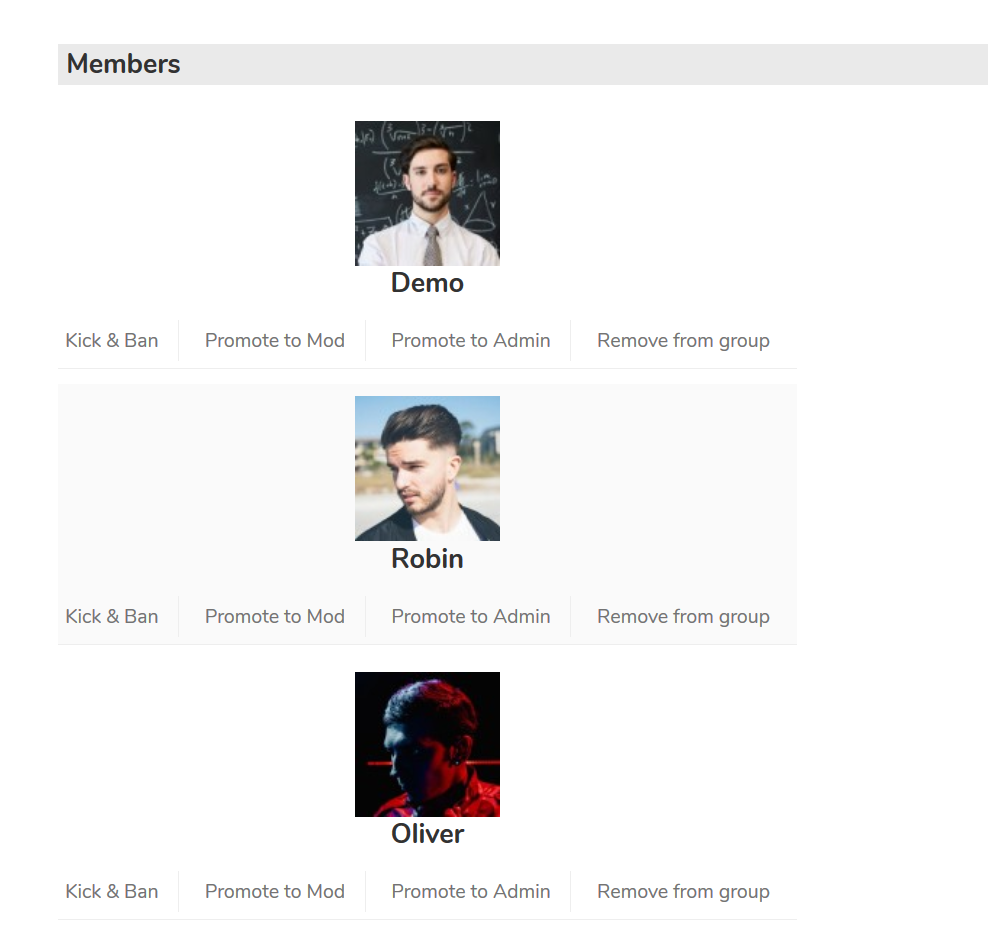
When you go to any group -> manage -> members you can promote members to moderator
http://diaboliquedesign.com/screenshots/1/Screenshot-at-12-09-04.pngKeymasterNot all buddypress slugs are translatable so you should revert such translations like profile and all others starting with the small lowercase letter.
KeymasterHello
In the paid membership pro plugin when the user will buy subscription then automatically his level will be upgraded. More info you can find in the plugin’s documentation – https://www.paidmembershipspro.com/documentation/
KeymasterAugust 15, 2019 at 09:57 in reply to: Wrong date postHello
I just checked it out and it shows 1 day ago – http://diaboliquedesign.com/screenshots/1/Screenshot-at-11-57-51.png
KeymasterHello
Add following css under appearance -> customize -> additional css
#sidenav-members i.yz-small-verified-icon { width: 12px; height: 12px; font-size: 8px; line-height: 12px; margin: 0 2px 0 5px; position: relative; top: -3px; }KeymasterHello
Please check it out – https://themeforest.net/item/onecommunity-buddypress-theme/3713046/faqs/41339
-
This reply was modified 6 years ago by