-
DD
KeymasterExcept GamiPress – BuddyPress integration did you install GamiPress – WP Ulike integration and GamiPress – bbPress integration too?
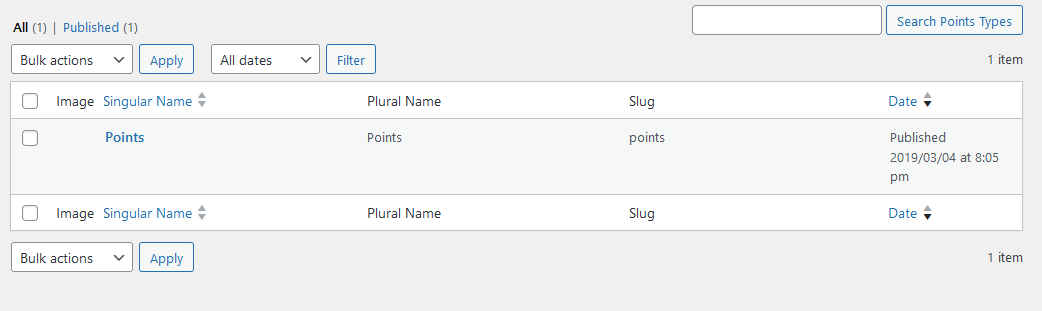
KeymasterDo you have points created under wp dashboard -> gamipress -> points types just like on this screenshot – https://diaboliquedesign.com/screenshots/4/screenshot_at_08-45-26.png It must be identical.
KeymasterI’m working on it
KeymasterDid you try to install it from this site – https://wordpress.org/plugins/gamipress/
KeymasterHello,
Do you see some error?
KeymasterI can’t duplicate your problem – https://diaboliquedesign.com/screenshots/4/screenshot_at_14-59-04.png and no other buyer reported such problem. There must be corrupted something in code.
KeymasterHello,
I am working on and it will be changed while the next update.
KeymasterOctober 4, 2023 at 13:14 in reply to: Several ErrorsHello
Try to enable a debug mode in wp-config.php so maybe there will more detailed error. I suppose some required buddypress component is inactive.
KeymasterSeptember 14, 2023 at 14:06 in reply to: Overlapping issue in mobileSorry for delay, it will be done very soon.
KeymasterSeptember 14, 2023 at 11:40 in reply to: After installing buddy press extention in membership pro, all hell breaks loseHello,
Try to test it under a default WP theme
KeymasterSeptember 6, 2023 at 09:54 in reply to: Issue with OneCommunity – BuddyPress Theme Plugin InstallationHello,
Please install this plugin from wordpress.org – https://wordpress.org/plugins/bbpress/
KeymasterAugust 25, 2023 at 13:10 in reply to: Chatbox Alignment ErrorOpen
wp-content/plugins/onecommunity-shortcodes/inc/buddypress.phpReplace
bp_member_name();for:
echo mb_strimwidth(bp_get_member_name(), 0, 15, "...");KeymasterAugust 24, 2023 at 11:07 in reply to: Overlapping issue in mobileHello, you opened menu and messages, where is the problem?
KeymasterAugust 24, 2023 at 10:50 in reply to: Chatbox Alignment ErrorTry this CSS:
#sidenav .name { font-size: 12px!important; }KeymasterJuly 19, 2023 at 12:34 in reply to: Shortcode IssueThis plugin is installed from external server, direct link can be found in the theme’s functions.php file.
KeymasterJuly 18, 2023 at 11:01 in reply to: Shortcode issueHello,
When you go to WP Dashboad -> Plugins then on the very top should be plugins installation wizard.
KeymasterJuly 18, 2023 at 11:01 in reply to: Shortcode IssueHello,
When you go to WP Dashboad -> Plugins then on the very top should be plugins installation wizard.
KeymasterJuly 5, 2023 at 21:47 in reply to: Issue with Elementor ProOK, but what block for example doesn’t work?
Also in the customizer the input field for Facebook url is missing.
It is a share button so it automatically setup the share button for different pages. You can change it in the footer.php file.
KeymasterJune 28, 2023 at 14:14 in reply to: Issue with Elementor ProAre they working when a Default WP theme is active?
KeymasterCan you show a screenshot with the mobile menu?
KeymasterPlease enable a debug mode – https://wordpress.org/documentation/article/debugging-in-wordpress/
KeymasterJune 19, 2023 at 20:45 in reply to: edit footerIt’s because it’s the share button of the current page, you can change it manually editing the footer.php file, just replace this code
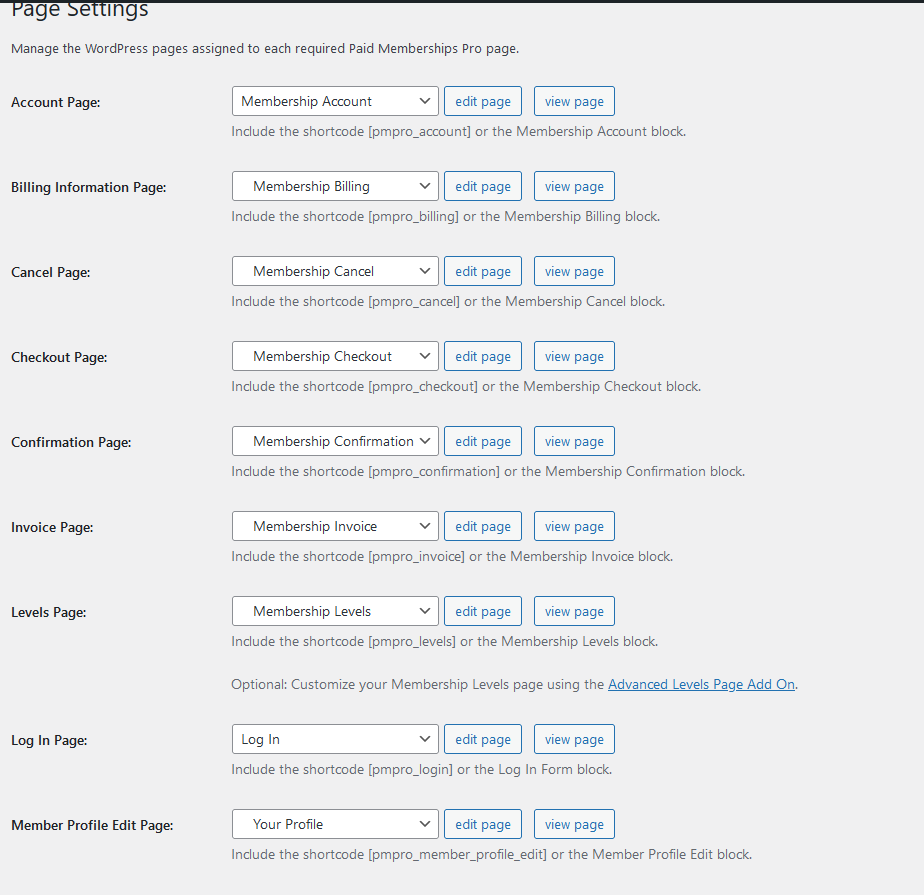
https://www.facebook.com/sharer.php?u=<?php global $wp; echo home_url( $wp->request ); ?>&t=<?php wp_title( '|', true, 'right' ); bloginfo( 'name' ); ?>for your link.KeymasterJune 16, 2023 at 07:51 in reply to: Changing background colours of text input boxes and woo commerce checkout boxes.PMP doesn’t have own registration page – https://diaboliquedesign.com/screenshots/4/screenshot_at_09-50-26.png
Generally all account should be registered using buddypress registration page – https://diaboliquedesign.com/demo/cinematix-new/register/Also is there a way to add 2fa for users?It can be done for example with this plugin – https://plugins.miniorange.com/two-factor-authentication-2fa-mfa-for-buddypress-login-form
KeymasterYes, the latest vestion is 3.7.9. Can you make a whole page screenshot with WP like configuration just like on here – https://imgur.com/a/67y3NfU
KeymasterHello, it’s available now
KeymasterNew update can be downloaded here https://themeforest.net/downloads
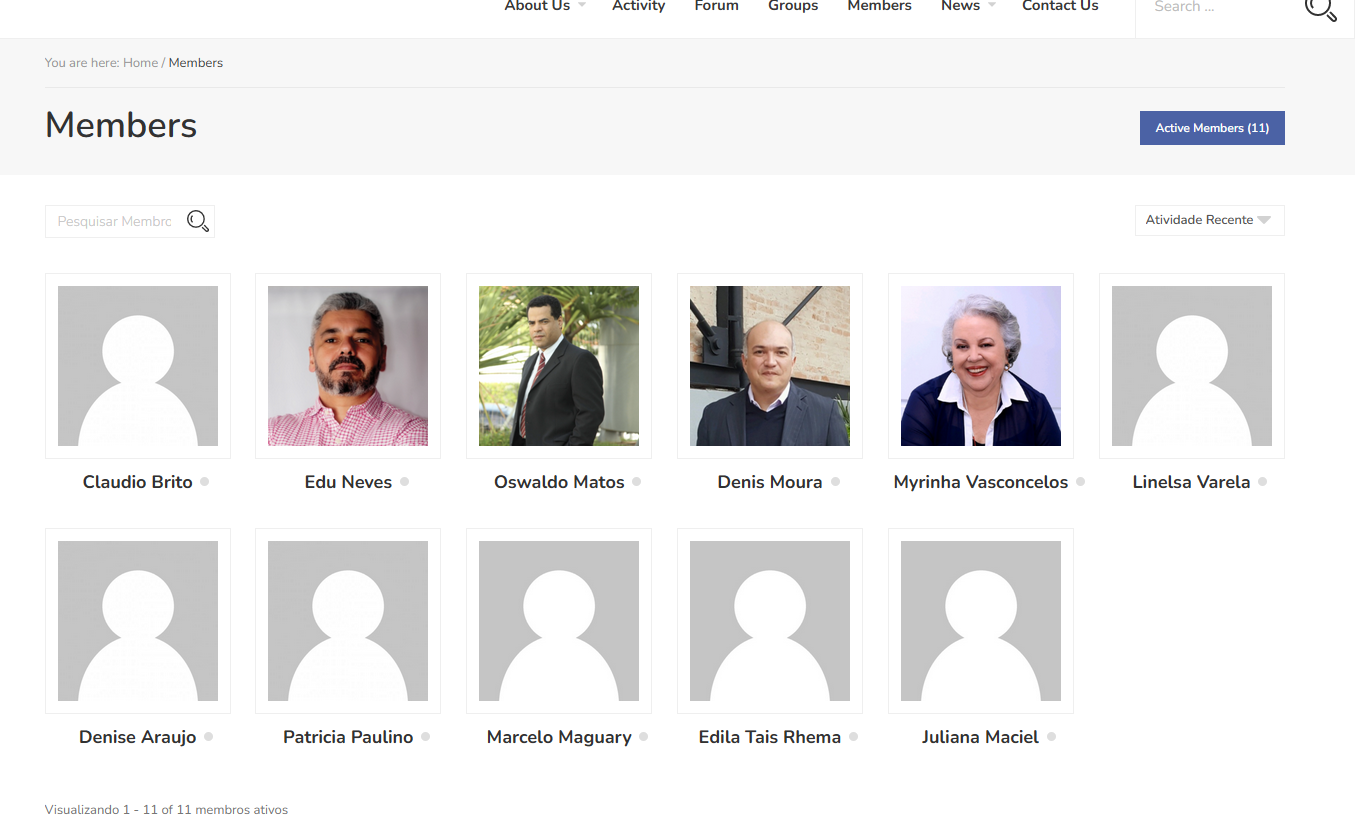
KeymasterMay 16, 2023 at 13:11 in reply to: Demand AssociationI’m not sure what do you mean. Members page is accessible for all visitors – https://diaboliquedesign.com/screenshots/4/screenshot_at_15-10-54.png
KeymasterMay 11, 2023 at 11:51 in reply to: Header changePaste following code in theme functions.php:
function my_avatar($atts, $content = null) {

ob_start();

if ( is_user_logged_in() ) : ?>
<?php else : ?>

<div class="avatar-container">
<?php bp_get_loggedin_user_avatar( 'type=thumb&width=32&height=32' ) ?>
</div>

<?php endif;

$shortcode_content = ob_get_clean();
return $shortcode_content;
}

add_shortcode("my-avatar", "my_avatar");
then use following shortcode in elementor
[my-avatar]KeymasterMay 8, 2023 at 13:56 in reply to: Header changeDoes it work when a default WP theme is active?
KeymasterMay 5, 2023 at 20:17 in reply to: Header changeYou can do it with this plugin – https://wordpress.org/plugins/header-footer-elementor/
KeymasterMay 2, 2023 at 11:46 in reply to: Header changeHello, if you are talking about membership avatar and user personal menu then unfortunately it’s not so simple.
KeymasterOpen onecommunity-new/wp-content/plugins/onecommunity-shortcodes/inc/buddypress.php
remove
currentfrom<li data-tab="popular" class="tab-popular current"><?php _e('Popular', 'onecommunity-shortcodes'); ?></li>and paste
currenthere<li data-tab="newest" class="tab-newest"><?php _e('New', 'onecommunity-shortcodes'); ?></li>then few lines below replace
type=popularfortype=newestKeymasterHello,
Does it work when a default WP theme is active? I can’t duplicate your problem – https://diaboliquedesign.com/demo/onecommunity-youzer/product/iot-programming-and-big-data/
KeymasterApril 24, 2023 at 21:02 in reply to: Can’t install demo contentInstalled
KeymasterApril 21, 2023 at 10:53 in reply to: Can’t install demo contentDuplicator is an import/export plugin – https://wordpress.org/plugins/duplicator/
Please send FTP login credentials + WP dashboard login via this contact form – https://themeforest.net/user/diabolique
KeymasterApril 17, 2023 at 14:29 in reply to: Can’t install demo contentIt seems like there is a problem with bigger files upload via WP dashboard on your hosting, you can check it installing any Files Manager and try to upload bigger file. Try to install it alternatively using Duplicator, it’s on google drive.
KeymasterApril 17, 2023 at 14:26 in reply to: How to remove the hyphenationI can’t see it – https://diaboliquedesign.com/screenshots/4/screenshot_at_16-26-20.png
KeymasterIn wordpress when user has an Author role then he can access to the limited version of WP Dashboard where user can create and edit own posts.
KeymasterApril 14, 2023 at 11:54 in reply to: Can’t install demo contentYou should increase the upload limit, here is the few ways to do it – https://www.wpbeginner.com/wp-tutorials/how-to-increase-the-maximum-file-upload-size-in-wordpress/
Using this plugin would be the simplest way I think – https://wordpress.org/plugins/wp-maximum-upload-file-size/KeymasterApril 14, 2023 at 11:51 in reply to: How to remove the hyphenationI must see the live website then
KeymasterApril 13, 2023 at 12:15 in reply to: Can’t install demo contentHello,
Please install this plugin first – https://diaboliquedesign.com/demo/onecommunity-new/all-in-one-wp-migration-file-extension.zip
KeymasterApril 13, 2023 at 12:14 in reply to: How to remove the hyphenationDo you use some 3rd party plugin to show this social icons?
KeymasterApril 11, 2023 at 14:10 in reply to: How to remove the hyphenationIt was implemented to break very long URLs or words, in style.css here
.rtmedia-item-title, .related-posts ul li.related-post-entry, .buddypress-wrap table.profile-fields .data, article, #bbpress-forums div.bbp-reply-content p {

  /* These are technically the same, but use both */
  overflow-wrap: break-word;
  word-wrap: break-word;

  -ms-word-break: break-all;
  /* This is the dangerous one in WebKit, as it breaks things wherever */
  word-break: break-all;
  /* Instead use this non-standard one: */
  word-break: break-word;

  /* Adds a hyphen where the word breaks, if supported (No Blink) */
  -ms-hyphens: auto;
  -moz-hyphens: auto;
  -webkit-hyphens: auto;
  hyphens: auto;

}
and in css/buddypress.min.css here
.activity-list .activity-item .activity-inner p, .activity-list .activity-item .activity-inner .rtmedia-activity-text { word-wrap: break-word; font-size: 15px; color:#555555;}KeymasterApril 1, 2023 at 10:28 in reply to: Forum post counterThere are such codes used by this plugin
bbp_get_user_topic_count_raw( $user_id);
bbp_get_user_reply_count_raw( $user_id);
but I don’t think it will work outside bbpress pages, unfortunately it’s not so simple.
KeymasterDo you use Youzify plugin?
KeymasterI’m curious how I let the users and groups enter their own blog posts.
I am not sure what do you mean, did you follow the XX. How to assign selected blog posts to the BuddyPress group? chapter in the theme doc? https://diaboliquedesign.com/demo/onecommunity-new/Help/#group-posts
KeymasterMarch 30, 2023 at 13:40 in reply to: Forum post counterWhat addon do you use to show these stats? It’s not available on default installation
KeymasterMarch 29, 2023 at 14:40 in reply to: Forum post counterCan you show a link to the forum page that counter amounts show correctly?
KeymasterMarch 27, 2023 at 12:12 in reply to: RTL is not working correctlyOpen
wp-content/themes/onecommunity/buddypress/css/buddypress.min.cssand recopy it to this filewp-content/themes/onecommunity/buddypress/css/buddypress-rtl.min.cssKeymasterMarch 24, 2023 at 18:12 in reply to: Forum post counterIt seems like this plugin shows total count for actually logged in user.
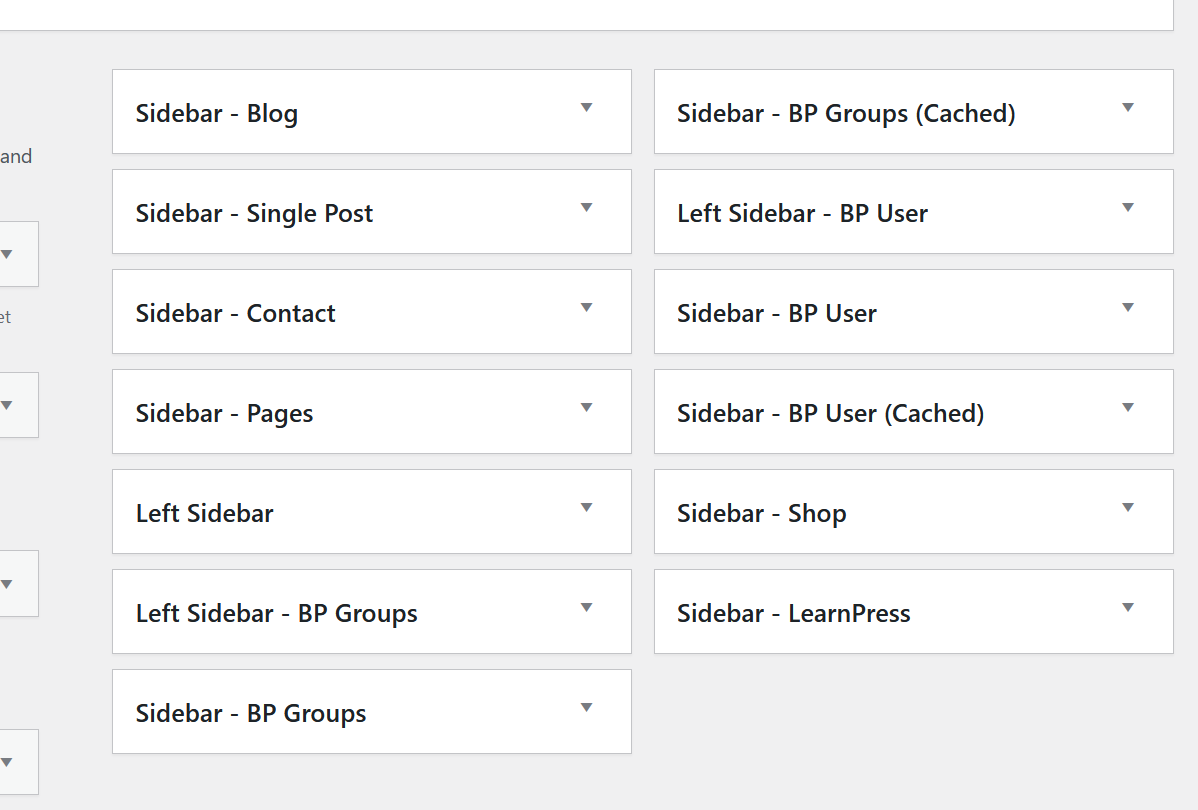
KeymasterMarch 23, 2023 at 18:55 in reply to: Change widget area on a pageThere is no forum sidebar https://diaboliquedesign.com/screenshots/3/Screenshot-at-19-52-09.png
Anyway forum widgets area is defined here wp-content/themes/onecommunity/bbpress.php<?php get_sidebar(); ?>You can remove it and put such code
<?php if (function_exists('dynamic_sidebar') && dynamic_sidebar('sidebar-forum')) : endif; ?>now open theme’s functions.php and duplicate following code lines:
	register_sidebar(array(
		'name' => 'Sidebar - Pages',
		'id'   => 'sidebar-pages',
		'description'   => 'This is a widgetized area visible on the pages.',
		'before_widget' => '<div class="sidebar-box %2$s widget" id="%1$s">',
		'after_widget'  => '</div><!--sidebar-box ends--><div class="clear"></div>',
		'before_title'  => '<div class="sidebar-title">',
		'after_title'   => '</div>'
	));
and change sidebar-pages for sidebar-forum
KeymasterMarch 23, 2023 at 18:42 in reply to: Forum post counterHello, I’m working on it
KeymasterDoes the captcha plugins show when a default WP theme is active?
KeymasterMarch 14, 2023 at 15:03 in reply to: How to connect blog post to GroupIt’s not for youzify theme variant
KeymasterMarch 14, 2023 at 14:09 in reply to: Forum post counterYes, following counts are possible with this plugin
[display-topic-count] [display-reply-count] [display-total-count]KeymasterMarch 13, 2023 at 15:00 in reply to: Forum post counterI tested it with different users and count is correct. When you go to the user profile -> forum then sum
Topics Started and Replies Created should be 10 in total.KeymasterMarch 13, 2023 at 14:49 in reply to: RTL is not working correctlyIt looks like buddypress style is not loading. This is how it looks on my test site – https://diaboliquedesign.com/screenshots/4/screenshot_at_15-45-42.png
When you view the page source there should be such style wp-content/themes/onecommunity/buddypress/css/buddypress.min.cssKeymasterMarch 10, 2023 at 16:20 in reply to: Social media icons too largeHello,
It looks fine – > https://diaboliquedesign.com/screenshots/4/screenshot_at_17-19-40.png
KeymasterMarch 10, 2023 at 16:11 in reply to: RTL is not working correctlyPlease go to wp dashboard -> settings -> buddypress -> options and enable “Allow registered members to upload cover images” and “Allow customizable cover images for groups”.
KeymasterSorry for the delayed reply but somehow I missed your topic. It seems like you are editing the page which is not prepared for Elementor, try to edit for example the Frontpage 1 Elementor page.
KeymasterMarch 9, 2023 at 15:09 in reply to: RTL is not working correctlyYou should use this CSS code https://support.diaboliquedesign.com/forums/topic/right-to-left-rtl/
KeymasterMarch 8, 2023 at 12:44 in reply to: Forum post counterPaste it before
</footer>It’s working for meKeymasterMarch 7, 2023 at 13:54 in reply to: Forum post counterYou didn’t activate this plugin – https://wordpress.org/plugins/bbp-topic-count/
KeymasterMarch 2, 2023 at 12:06 in reply to: Forum post counterAdd this code in the theme’s footer:
<?php echo do_shortcode( '[display-total-count]' ); ?>and check on the bottom of the site if it’s showing the proper number.
KeymasterMarch 1, 2023 at 11:52 in reply to: Forum post counterPut some random number and see if it was changed.
KeymasterFebruary 28, 2023 at 14:11 in reply to: Forum post counterOpen
wp-content\plugins\youzify\includes\public\core\class-youzify-user.phpand replace one of these codes<?php echo $this->get_statistic_number( $first_nbr ); ?> <?php echo $this->get_statistic_number( $second_nbr ); ?> <?php echo $this->get_statistic_number( $third_nbr); ?>with this shortcode of the plugin mentioned above:
<?php echo do_shortcode( '[display-total-count]' ); ?>KeymasterI replied you in other topic – https://support.diaboliquedesign.com/forums/topic/forum-post-counter/
KeymasterFebruary 27, 2023 at 14:39 in reply to: Image not found on front pageHello,
Is it visible under a preview mode? -> https://diaboliquedesign.com/screenshots/4/screenshot_at_15-39-34.png
KeymasterSo do you want to hide it or show on all web browsers?
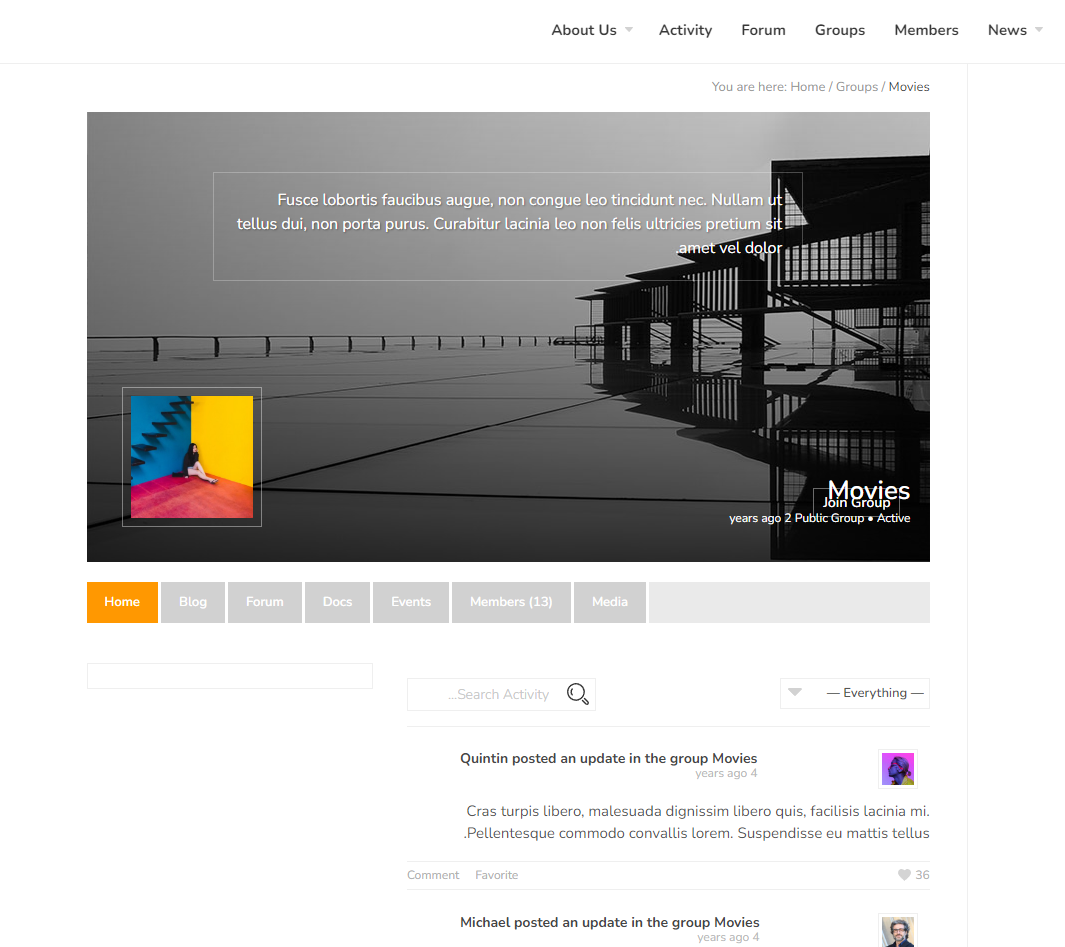
KeymasterFebruary 18, 2023 at 14:31 in reply to: Double imageIt will be fixed in the next update. In the meantime please use following CSS if you want to hide cover image:
.bp-group-activity-preview .bp-group-preview-cover { display:none!important; }
or this CSS if you want to hide group avatar if the cover image doesn’t exist:
.bp-group-activity-preview .bp-group-avatar-content.has-cover-image { display:none!important; }