-
DD
KeymasterI think these tables are not responsive, simple content looks fine https://diaboliquedesign.com/screenshots/1/screenshot_at_15-57-56.png
Is it responsive when a default WP theme is active?KeymasterIt can be some plugin because there is no option to flag posts – https://diaboliquedesign.com/screenshots/1/screenshot_at_15-16-23.png
KeymasterDecember 3, 2019 at 14:07 in reply to: Logged In Vs Non-Logged InI was talking about caching plugin. Is it visible when a default WP theme is active?
KeymasterI don’t think so because you are the first person asking for such feature.
KeymasterDecember 3, 2019 at 11:13 in reply to: Elements overlapping emoji boxHere is the fix, open the themes/onecommunity-youzer/css/animations.css file
and replace.fadeInDown:not(.animated)for
.fadeInDown:not(.animated):not(.activity-item)KeymasterHello
Unfortunately I can’t find it too, I think you should a ask for help on the bbpress forum – https://bbpress.org/forums/
KeymasterUnfortunately it’s not so simple
KeymasterIt seems like this quick navigation causing it.
KeymasterDecember 2, 2019 at 15:54 in reply to: Elements overlapping emoji boxI reported it to the youzer plugin developer.
KeymasterDecember 2, 2019 at 15:43 in reply to: WP Likes Plugin -> BuddyPress?You can disable it on activity pages. This button on the left is just favourite button but it was just translated as like button by youzer developer.
KeymasterDecember 2, 2019 at 15:38 in reply to: Logged In Vs Non-Logged InIf you are not logged in then probably you are seeing the old cached page.
KeymasterHello
Please remove old verison of ajax search plugin and install the new one from this source – https://diaboliquedesign.com/bundled-plugins/ajax-search-pro.zip
KeymasterNovember 29, 2019 at 10:51 in reply to: All in one migration troubleHere is a solution. Download this file https://diaboliquedesign.com/demo/onecommunity-new/wp-content.zip
Upload this file to the main folder of your wp installation, go to your hosting files manager and unzip uploaded file.Now download this database file https://diaboliquedesign.com/demo/onecommunity-new/appa-db.zip
go to PhpMyAdmin, remove all tables of your wp installation and import appa-db.zip file
go to wp dashboard (use login:admin pass:d3d2eiedk7) -> settings -> permalinks and resave permalinksKeymasterNovember 28, 2019 at 11:35 in reply to: All in one migration troubleI sent you the email
KeymasterNovember 28, 2019 at 11:08 in reply to: All in one migration troubleI need the URL too
KeymasterNovember 28, 2019 at 10:59 in reply to: All in one migration troubleThere is a contact form on the right side – https://themeforest.net/user/diabolique
KeymasterNovember 28, 2019 at 10:55 in reply to: All in one migration troubleAlso try this solution – https://www.elharony.com/all-in-one-wp-migration-import-stuck-problem/
BTW I hope you unzipped demo content file.
KeymasterNovember 28, 2019 at 10:52 in reply to: All in one migration troubleIt’s possible your upload is too slow. Please send me your wp login credentials via the contact form https://themeforest.net/user/diabolique
KeymasterHello
Please open the wp-content/themes/onecommunity/buddypress/groups/single/group-header.php file and increase the second $thelength = 22
The first one is for the mobile devices.KeymasterHello
It was fixed in 3.5 version of theme – http://diaboliquedesign.com/demo/onecommunity-new/changelogs.txt
There was conflict between bbpress 2.6.x and wp ulike which was fixed too.KeymasterNovember 26, 2019 at 15:43 in reply to: GroupsClear the cache, there is still no shortcodes files in the page source view-source:http://information-hcc.de/gruppen/
KeymasterNovember 26, 2019 at 13:30 in reply to: GroupsYou didn’t activate the UnitedCommunity Shortcodes plugin.
KeymasterNovember 26, 2019 at 13:09 in reply to: BBPress Update, is it safe?Hello
No, do not update the bbpress plugin it yet, probably theme needs small update.
KeymasterNovember 26, 2019 at 11:03 in reply to: Customize responsive HeaderHello
Open the wp-content/themes/onecommunity/css/responsive.css file
cut it#header-menu-container { display: none; } #mobile-nav { display:block; }and paste below
@media screen and (max-width:1300px)
{or
@media screen and (max-width:1024px)
{2. It’s not so simple because theme is based on svg, it would be much easier to just replace svg icons.
KeymasterNovember 23, 2019 at 14:53 in reply to: custom except lengthYou should just insert the more tag into the post – http://diaboliquedesign.com/screenshots/1/screenshot_at_15-52-55.png
KeymasterNovember 22, 2019 at 18:16 in reply to: New install setup questionsGenerally you should keep all your customisations in the child theme and then just update whole parent theme.
KeymasterNovember 21, 2019 at 11:12 in reply to: New install setup questionsThe new version is available for download. Changelogs -> https://diaboliquedesign.com/demo/onecommunity-new/changelogs.txt
KeymasterNovember 20, 2019 at 19:12 in reply to: New install setup questionsOpen wp-content/themes/onecommunity/rtmedia/main.php, remove everything and paste it https://pastebin.com/Ft3uB00a
KeymasterNovember 20, 2019 at 18:39 in reply to: New install setup questionsIt seems like removing following code from functions.php fixing the problem
function rtmedia_main_template_include($template, $new_rt_template){ global $wp_query; $wp_query->is_page = true; return locate_template('rtmedia.php'); } add_filter('rtmedia_main_template_include', 'rtmedia_main_template_include', 20, 2);KeymasterNovember 20, 2019 at 18:23 in reply to: New install setup questions61. In my case, setup following code line
define('WP_DEBUG', false);in wp-config.php disabled all notices.
KeymasterNovember 20, 2019 at 18:19 in reply to: New install setup questions61. I’m working on it.
64. I’m trying to duplicate this problem on the test website, in the mean time you can setup automatic code which resave permalink 2 times a day, open functions.php file (theme folder) and paste following code at the bottom
KeymasterNovember 20, 2019 at 17:29 in reply to: New install setup questionsI can duplicate this problem with bbpress 2.6.1. Please remove bbpress plugin and install this version – diaboliquedesign.com/bundled-plugins/bbpress.zip
KeymasterNovember 20, 2019 at 13:54 in reply to: New install setup questionsIs there the same set of errors when a default WP theme is active?
KeymasterNovember 20, 2019 at 11:02 in reply to: New install setup questionsPlease try to import it once again – https://diaboliquedesign.com/demo/onecommunity-new/Help/assets/ajax-search-pro-style-import.txt
KeymasterNovember 19, 2019 at 19:27 in reply to: New install setup questionsGo to ajax search pro -> maintenance -> wipe all plugin data… and install this plugin once again following these steps – http://diaboliquedesign.com/demo/onecommunity-new/Help/#search
Before you follow the doc, make sure it’s displayed on your website.
KeymasterNovember 19, 2019 at 18:48 in reply to: New install setup questionsCan you insert this shortcode into sidebar (using text widget)? Does it work in this case?
KeymasterNovember 19, 2019 at 13:15 in reply to: New install setup questions65. Try to create new search then copy shortcode and replace [wd_asp id=1] for shortcode of your new search in the header.php file.
66. Are they visible when a default WP theme is active? Try this solution – https://datafeedrapi.helpscoutdocs.com/article/161-fix-no-products-were-found-matching-your-selection-message
KeymasterJust delete the existing plugin and install the old one.
KeymasterNovember 18, 2019 at 19:40 in reply to: New install setup questionsGo to wp dashboard -> ajax search pro -> ajax search pro and make sure there is search with [wd_asp id=1] shortcode.
How far off is this new OneCommunity theme ready for release?
It’s done and it’s already running on the live demo. I am just checking out the new version of bbpress.
Will the new version of the OneCommunity theme have this new version of Ajax Search plugin within it?
Yes
KeymasterNovember 18, 2019 at 19:33 in reply to: New install setup questions64. Both plugins should work together. If you install LearnDash then it will display its own default style but of course this plugin will work fine too.
KeymasterNovember 18, 2019 at 19:31 in reply to: New install setup questions61. Do you see the same error when a default wp theme is active? If yes then maybe rtmedia plugin reinstallation will help. You should remove rtmedia plugin, login to phpmyadmin and remove following tables
wp_rt_rtm_activity
wp_rt_rtm_api
wp_rt_rtm_media
wp_rt_rtm_media_interaction
wp_rt_rtm_media_meta
then install rtmedia plugin once again. You can export content before delete tables.
KeymasterThere can be error displayed. You can always back to 2.5.14
KeymasterNovember 18, 2019 at 15:22 in reply to: New install setup questions61. It looks like the disk is full ->
Warning: mysqli_query(): (HY000/1021): Disk full (/tmp/#sql_41ed_1.MAI); waiting for someone to free some space… (errno: 28 “No space left on device”) in /home/kingofquotesgame/public_html/wp-includes/wp-db.php on line 203
63. You can use following code in php file – https://pastebin.com/592P2szc
64. I will try to replicate it on the test site and try to find the source of problem. Anyway if you are already using woocommerce then it’s recommended to use woocommerce to sell courses too because woocommerce and learnpress take quite high server resources.
KeymasterHello
I made some tests and I can’t find any problem
https://www.taddybook.com/forums/topic/lorem-ipsum-dolor-sit-amet/BTW, don’t update bbpress plugn because theme isn’t compatible with the 2.6 version yet.
KeymasterNovember 18, 2019 at 11:42 in reply to: New install setup questions61. Create a new file called phpinfo.php in ROOT of your WP installation with following code:
<?php phpinfo(); ?>Now open the http://www.yourdomainname.com/phpinfo.php in web browser. There should be following value displayed:
display_errors Off->> http://diaboliquedesign.com/phpinfo.php
63. If you are talking about inseting it to appearance -> menu then it’s not possible because each menu link is different for each member.
64. It’s possible it can be caused by the bug of the learnpress plugin.
KeymasterUncaught Error: Call to undefined function bp_has_groups()
It looks like you didn’t activate the user groups component under Settings → Buddypress
There is also an issue with lpimembers.co.uk/forum not showing any styling?
Theme isn’t compatible with bbpress 2.6 yet, you should install the 2.5.14 back -> https://codex.bbpress.org/releases/
KeymasterNovember 15, 2019 at 20:41 in reply to: New install setup questions61. Open the .htaccess file (root of wp) and paste following code line
php_flag display_errors offKeymasterNovember 15, 2019 at 17:20 in reply to: New install setup questions60. Yes, of course.
61. It can be caused by 2.6 version of bbpress. Also you can make display_errors Off on your server.
62. Users can change it under Profile -> Settings -> Email
KeymasterNovember 15, 2019 at 11:59 in reply to: New install setup questionsThank you, when will the new update be released?
It’s already done, I’m just making tests.
KeymasterNovember 15, 2019 at 11:35 in reply to: New install setup questions59. No, it’s not possible.
60. Theme wasn’t tested with the bbpress 2.6 yes, you should install the 2.5.14 version back – https://codex.bbpress.org/releases/
61. Open wp-config.php and make following setting
define( 'WP_DEBUG', false );KeymasterHello
This page is asking me for login – https://odenth.com/RezOdenth/IMG_diabolik/aforum-style-lost.png
KeymasterYou should go to users -> all users -> admin -> reduce Points Balances
KeymasterNovember 13, 2019 at 12:27 in reply to: New install setup questions54. Does it happen for admin only? I can see more than 10 members – http://diaboliquedesign.com/screenshots/1/screenshot_at_13-09-13.png
Search results looks fine – http://diaboliquedesign.com/screenshots/1/screenshot_at_13-08-22.png55. It looks like you enabled covers, you should disable it under settings -> buddypress then it will look like on the live demo.
56. I will be busy within few next days, there will be update of the onecommunity improving speed significantly and other theme update.
57. Theme doesn’t provide style for this page, you should use pop up window.
58. You can just translate the onecommunity shortcodes plugin using loco translate.
KeymasterNovember 13, 2019 at 11:26 in reply to: Where is "group page" sidebar?Hello
If you are using the child theme then you should change it in the child theme, not in parent theme.
KeymasterHello
It’s possible with this plugin – https://wordpress.org/plugins/gamipress-block-users/
KeymasterNovember 11, 2019 at 10:25 in reply to: New install setup questions45. I think you should just hide it using following CSS -> body.single-badges .wpulike { display:none!important; }
46. You should click on the bin or remove ulike table in database and reinstall wp ulike again.
47. As far as I know it’s not possible with LearnPress.
47.B. Theme should work fine with LearnDash, but I don’t is there marketplace extension aavailable for this plugin.
49. Login credentials you sent are not working.
50. In the header.php you should remove login-popup-action class and add href
51 & 52 I don’t think it will work because in buddypress nicknames are not unique, 2 members can have the same nick but username is unoque.
KeymasterYou can send it via contact form – https://themeforest.net/user/diabolique
KeymasterNovember 9, 2019 at 12:06 in reply to: New install setup questions38. It’s possible but there will be a lot of work -> https://bpdevel.wordpress.com/2016/05/24/custom-front-pages-for-your-users-profiles/
41. It’s in the many files, you should replace
href="<?php echo home_url(); ?>"inside the breadcrumbs div.
44. Unfortunately I don’t know.
45. The website isn’t working.
46. WP ULike -> Statistics -> View All Logs
47. It’s most likely to do with woocommerce and its extensions.
48. WC Vendors will work with OneCommunity but I don’t know does is work with GamiPress.
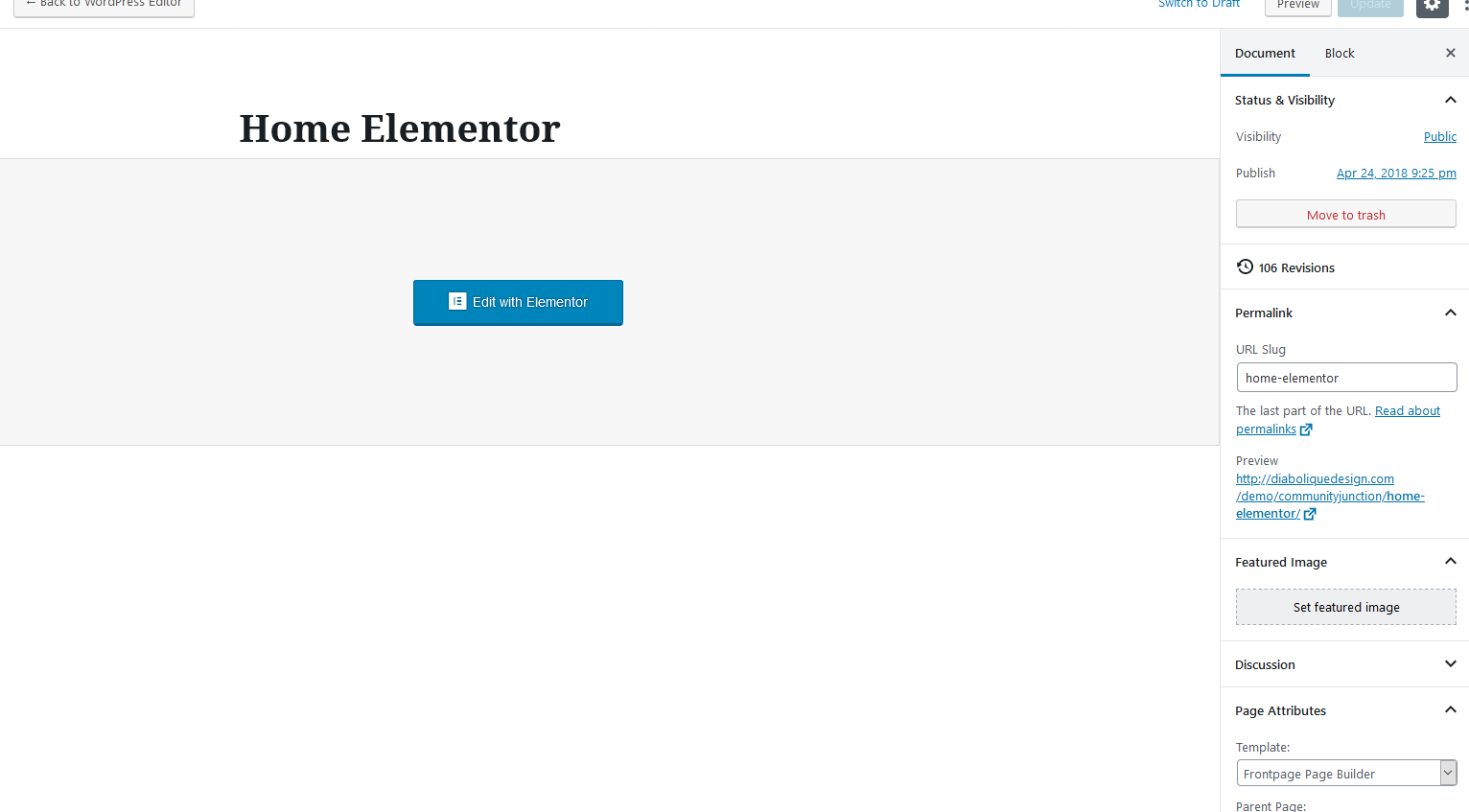
KeymasterNovember 9, 2019 at 11:05 in reply to: Unable to Edit the templatYou should click on the edit with elementor button. Make sure the Frontpage Page Builder page template is selected.
http://diaboliquedesign.com/screenshots/1/screenshot_at_12-04-24.pngKeymasterIf you send me the WP login credentials then I will make few tests.
KeymasterWhen you copy some content from website you are copying html code too. Try to copy text from notepad.
KeymasterHello
In buddypress an image can be added from external source only, you can activate a default WP theme and you will see there is no option to upload it.
KeymasterNovember 7, 2019 at 12:06 in reply to: New install setup questions41. It’s already points to the frontpage – https://kingofquotesgame.com
42. Facebook share button is generated automatically in footer.php, you can edit it inside href=””
43. In the footer.php paste
target="_blank"after
<ainside the social-icons div.
KeymasterNovember 7, 2019 at 11:38 in reply to: New install setup questions37. You can try to find solution on buddypress.org forum.
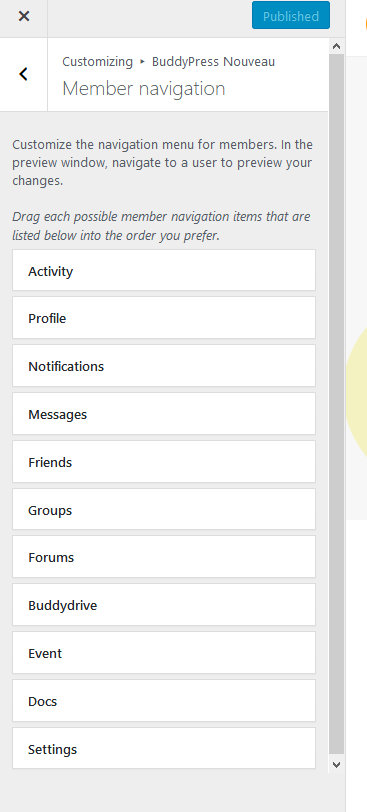
38. You can go to appearance -> cistomize -> buddypress nouveau -> members navigation and customise it here -> http://diaboliquedesign.com/screenshots/1/screenshot_at_12-28-34.png
40. Ads visible on the single group page are in the buddypress/groups/single/group-sidebar.php inside the col-2-ads div.
KeymasterNovember 7, 2019 at 11:21 in reply to: New install setup questionsI have tried this code – and it does not work, because it blocks even logged in users from seeing member profiles. I was logged in as admin for this test.
I’m sorry, this is the proper code, I tested it and it works fine
KeymasterHello
Try to upgrade the all in one migration plugin to the latest version and install this demo content – http://diaboliquedesign.com/demo/onecommunity-new/demo-onecommunity-3-5750159-7_9.zip (unzip it).
Speaking about elementor please check it out – https://docs.elementor.com/article/227-undefined-error-while-loading-templates
KeymasterSpeaking about this content – https://imgur.com/Gp8LgTA
such king of content with html code should be always posted under Text mode.KeymasterNovember 7, 2019 at 09:53 in reply to: Unable to Edit the templatHello
Here is the most recent documentation – http://diaboliquedesign.com/demo/communityjunction/Help/
5. Go to Pages -> Add New -> Select Frontpage Page Builder page template (Important) -> Edit with Elementor -> Add Template.
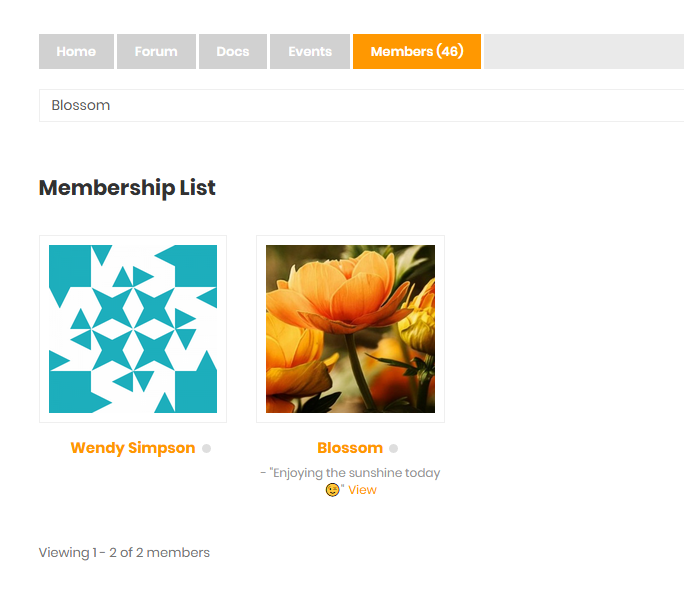
KeymasterNovember 6, 2019 at 13:26 in reply to: New install setup questionsPlus also – any update from the Ajax Search Pro dev, on how to enable the search to work for finding members?
It’s a pretty core function that a buddypress site would need – currently it does not work for finding members.This is the solution:
You can change the user results URL under the general Options -> User results panel: https://i.imgur.com/hL34CA3.png
KeymasterNovember 6, 2019 at 13:12 in reply to: New install setup questions36. How is it possible to show the members rank as well as the number of points on the leaderboard ?
It’s possible but there will be 2-3h of work.
37. Is there a way so that as Admin, there is an automatic friendship with each new member?
There was such plugin – https://premium.wpmudev.org/blog/buddypress-welcome-pack-3-0-released-to-the-world/
but I’m not sure is it still working.38. How do I set what is the home page (first page) to be seen by members when they login to the BP members area?
https://buddypress.org/support/topic/change-first-page-shown-for-user-profile/#post-183854