-
DD
KeymasterPlease send me login credentials so I will check it out.
Keymasterhttps://diaboliquedesign.com/screenshots/3/screenshot_at_17-42-16.png
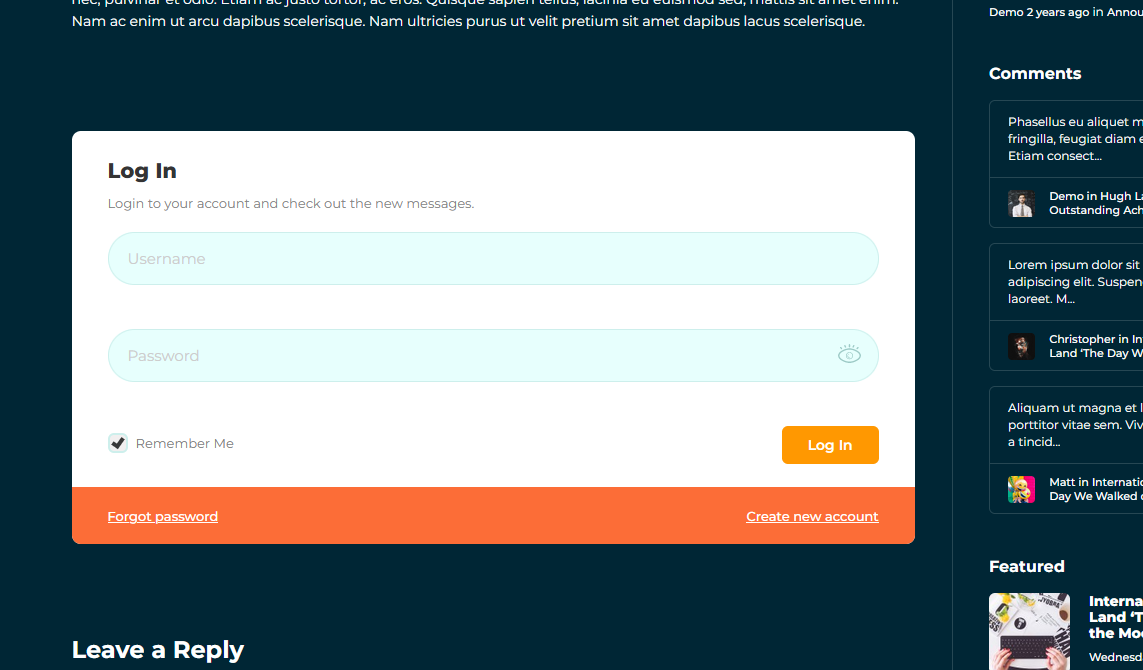
Login form is not visible for logged in users.
KeymasterYou should activate a default WP theme. Also please test other languages.
KeymasterDoes it work when a default WP theme is active?
KeymasterSeptember 8, 2022 at 15:25 in reply to: Member menu not respondingThere shouldn’t be
aktivnost/ending so leftactivitytranslation emptyKeymasterSeptember 8, 2022 at 15:20 in reply to: Footer plugin instalation – Gamipres problem, Members list disapeardUnfortunately it is not so simple.
KeymasterHello,
Please remove this plugin Header Footer Code Manager.
KeymasterSeptember 5, 2022 at 13:10 in reply to: Member menu not respondingIn the Activities case you should left it empty so proper url will be like this – https://dans.hicad.biz/clanovi/kristijan/
KeymasterSeptember 5, 2022 at 12:53 in reply to: Footer plugin instalation – Gamipres problem, Members list disapeardIt is normal, the same happens on the live demo – https://diaboliquedesign.com/demo/onecommunity-new/
Keymasterhttps://diaboliquedesign.com/screenshots/3/screenshot_at_14-36-40.png
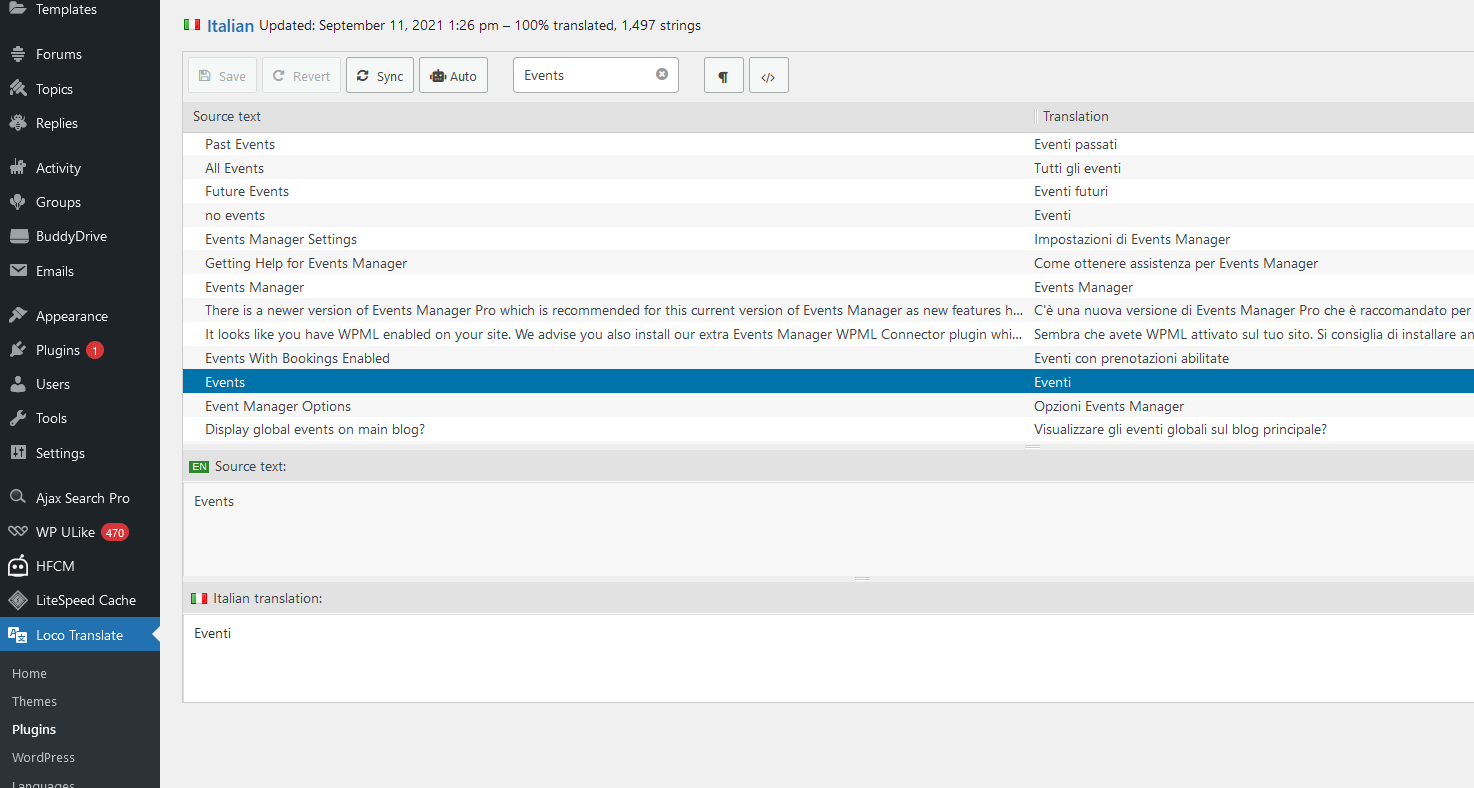
MY QUESTION: where in wich plugin translation?It should be translated here – https://diaboliquedesign.com/screenshots/3/screenshot_at_14-16-05.png
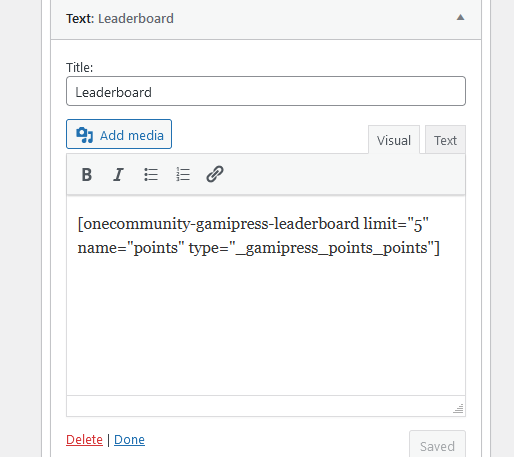
KeymasterPoints can be translated directly in shortcode – https://diaboliquedesign.com/screenshots/3/screenshot_at_14-31-51.png
name="points"https://drive.google.com/file/d/1wf7fZu9-Y5LQ1N4A24qjI6NKI1xvoaw_/view?usp=sharing
You should translate bbpress plugin.
SINGLE GROUP
https://drive.google.com/file/d/1UTdbpD26GTBbcqPhNpwr5fll_xfcIErD/view?usp=sharingI translated it without any problems
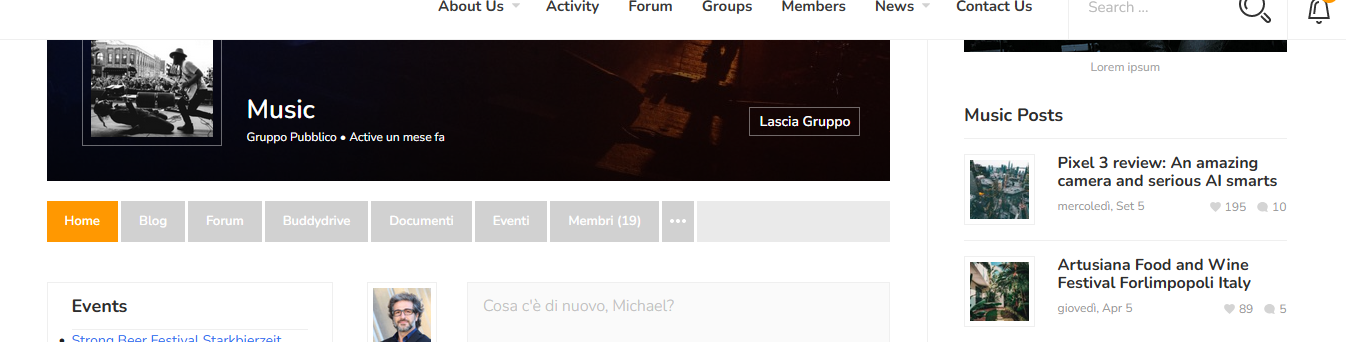
https://diaboliquedesign.com/screenshots/3/screenshot_at_14-36-40.pngGROUP SINGLE LOCATION
https://drive.google.com/file/d/1Za9GYiHa-s0MRi0ZFPOy_fx-MfLOnRko/view?usp=sharingDid you translate it? – https://diaboliquedesign.com/screenshots/3/screenshot_at_14-44-33.png
KeymasterHello,
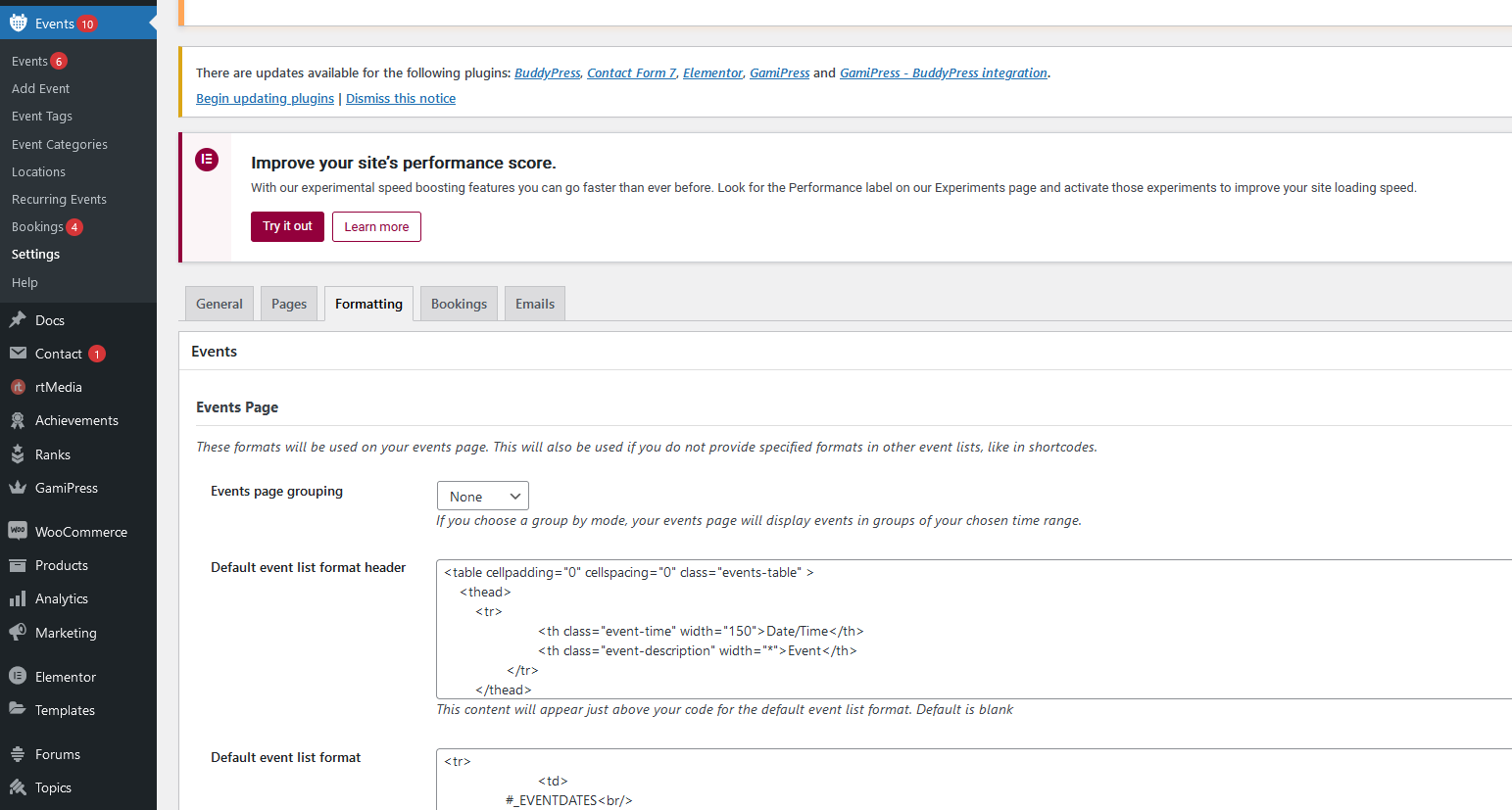
Some strings can be changed under Events Manager settings – https://diaboliquedesign.com/screenshots/3/screenshot_at_13-38-35.png
There are ready language files – https://wp-events-plugin.com/about/
KeymasterAugust 29, 2022 at 14:50 in reply to: Footer plugin instalation – Gamipres problem, Members list disapeardTry to put it in the header.php file at the very bottom
KeymasterThere is Help folder in the zip file downloaded from Themeforest
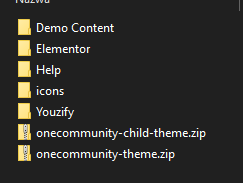
Also it is available here – https://diaboliquedesign.com/demo/onecommunity-new/Help/
KeymasterAugust 27, 2022 at 12:11 in reply to: Footer plugin instalation – Gamipres problem, Members list disapeardRemove this shordcode [onecommunity-sidenav] from elementor and add it <?php echo do_shortcode( ‘[onecommunity-sidenav]’ ); ?>
below
<?php wp_footer(); ?>in the footer.php file.KeymasterAugust 27, 2022 at 11:17 in reply to: Register button and link changeTake a look at this – https://pastebin.com/YLTVCP3K
KeymasterAugust 26, 2022 at 15:35 in reply to: Register button and link changeYou can change it in this file wp-content/themes/onecommunity/header.php
Remove header-top-login-jump login-popup-action (login-popup-action in 2 places) and addhref="https://www...."to the login linkKeymasterAugust 26, 2022 at 15:33 in reply to: Footer plugin instalation – Gamipres problem, Members list disapeardCan you post your URL?
KeymasterI am glad your problem was resolved
KeymasterPlease remove Header Footer Code Manager plugin
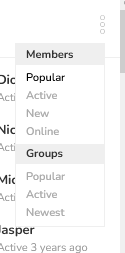
KeymasterAugust 23, 2022 at 12:52 in reply to: Footer plugin instalation – Gamipres problem, Members list disapeardAre you talking about this tiny menu – https://diaboliquedesign.com/screenshots/3/screenshot_at_14-51-50.png
KeymasterIn the child theme or under appearance -> customize -> additional CSS
KeymasterPlease check out your email box.
KeymasterHello,
It is intended – https://diaboliquedesign.com/demo/onecommunity-new/contact-us/
You can increase width using following CSS:
input.wpcf7-text { width:100%!important; }KeymasterHello,
In this file – wp-content/plugins/onecommunity-shortcodes/inc/gamipress.php change the
members/slug in 6 places.KeymasterAugust 13, 2022 at 11:46 in reply to: Footer plugin instalation – Gamipres problem, Members list disapeardHello,
You should put this shortcode in the footer
[onecommunity-sidenav]KeymasterHello,
This area uses onecommunity-gamipress-leaderboard shortcode so if you change something here it will be visible on other ranks too. The only way would be just use static HTML in the wp-content\plugins\onecommunity-shortcodes\inc\buddypress.php file.
KeymasterAugust 10, 2022 at 14:27 in reply to: Register button and link changeFind
registerin the language fileKeymasterAugust 10, 2022 at 13:19 in reply to: Dropdown menu not workingYou shouldn’t translate the slug of URL, change back the aktivnost to activity
KeymasterAugust 10, 2022 at 13:13 in reply to: Migration demo failHello,
Try to import demo using Duplicator, it’s in the Duplicator folder on google drive.
KeymasterAugust 10, 2022 at 12:59 in reply to: Register button and link changeHello, you can translate it with the Loco Translate plugin -> https://diaboliquedesign.com/demo/onecommunity-new/Help/#translate
KeymasterAugust 8, 2022 at 09:08 in reply to: Dropdown menu not workingHello,
What is the proper link when you enter your profile and the Profile tab? – https://diaboliquedesign.com/demo/onecommunity-new/members/admin/profile/
KeymasterAugust 8, 2022 at 08:50 in reply to: Trouble with WooCommerce add on – Paid Membership Pro activationWell, it can be a bug of the plugin, please test it under a default WP theme and report the bug on the plugin’s forum – https://wordpress.org/plugins/pmpro-woocommerce/
KeymasterI don’t think it is possible with youzify
Keymastercan you please guide me how to enable the view counter?
I don’t think it’s possible with youzify.
And when I click the photo it’s opening photo in light box, is it possible to view the photos in attachment page like facebook with all comments?
As far as I know it’s possible when you click on permalink –
Aliquam ultrices lorem in varius mattis. In nec gravida mi. Mauris non tincidunt felis. – Michael (@admin) April 26, 2021
and one more thing, I have added youzify social login in register page, I will be glad if you give me
instruction about how I can add the social login icons in login form. And I don’t want the one-community pop up I want to go to the login page when I click the login button.https://themeforest.net/item/onecommunity-buddypress-theme/3713046/faqs/42427
KeymasterAugust 4, 2022 at 21:56 in reply to: How to connect blog post to GroupHello,
Please read the XX. How to assign selected blog posts to the BuddyPress group? chapter – https://diaboliquedesign.com/demo/onecommunity-new/Help/#group-posts
Youzify is not required
KeymasterAugust 4, 2022 at 21:54 in reply to: Trouble with WooCommerce add on – Paid Membership Pro activationPlease try this plugin – https://www.paidmembershipspro.com/add-ons/pmpro-woocommerce/
KeymasterPlease check it out – https://rtmedia.io/docs/addons/view-counter/features/
KeymasterHello,
Do you use Youzify plugin?
KeymasterJuly 29, 2022 at 14:23 in reply to: How to connect blog post to GroupHello
Do you use Youzify plugin?
KeymasterJuly 28, 2022 at 15:07 in reply to: How to change Groups pictureIt’s on the site, not wp dashboard.
KeymasterJuly 28, 2022 at 12:17 in reply to: How to change Groups pictureHello
Please go to selected group -> manage -> photo
KeymasterIt’s defined in this file – wp-content/themes/onecommunity/buddypress/css/buddypress.min.css
here:
#sidebar .buddypress.widget ul.item-list li, .elementor-widget-container ul.item-list li { list-style-type: none; overflow: hidden; padding: 0 0 10px 0px; border: none; width: 30%; margin: 0px; margin-right: 0px; margin-right: 5%; }KeymasterJuly 21, 2022 at 14:08 in reply to: website demo can not be importedHello,
What error? Please try other solution – Duplicator (demo files on google drive) or send me login credentials to your WP dashboard.
KeymasterJuly 12, 2022 at 10:09 in reply to: Import SiteThere must be some problem, you can install any WP files manager plugin and you will see something is wrong if you can’t upload files.
KeymasterJuly 11, 2022 at 14:31 in reply to: Create Events within GroupsIt’s not so simple, support doesn’t include 3rd party plugins customisations. You can try to ask about it on the Events Manager forum, maybe somebody else asked for the same solution and there already exists code snippet – https://wordpress.org/support/plugin/events-manager/
KeymasterJuly 11, 2022 at 14:21 in reply to: Import SiteWell, you can download any wp files manager and you will see it’s impossible to upload any file – https://wordpress.org/plugins/search/file+manager/
Also you can always install theme without demo content.KeymasterJuly 9, 2022 at 14:18 in reply to: Import SiteThere is 504 error on your site while installing -> https://diaboliquedesign.com/screenshots/3/screenshot_at_16-13-08.png
It seems like your server has problem to unzip files. Also please downgrade php version from 8.x to 7.x because still many plugins can cause problems with the latest php version of php.KeymasterJuly 9, 2022 at 10:47 in reply to: Import SiteFile not found – https://diaboliquedesign.com/screenshots/3/screenshot_at_12-47-38.png
KeymasterJuly 9, 2022 at 10:42 in reply to: Create Events within GroupsAlso, there is an ISSUE – When adding a Event from User Profile / “My Events” page, it does NOT give the option to add the Event to any Group.
I don’t think it is possible with Events Manager if user isn’t admin of group.
KeymasterJuly 8, 2022 at 13:11 in reply to: Create Events within GroupsThis button is under user profile -> events, then there can be group choosed
KeymasterJuly 8, 2022 at 12:48 in reply to: Import SiteI tried to upload duplicator files installer.php and onecommunity_youzify_a28a1f697315b5f68770_20220615142831_archive.zip using WP File Manager but looks like files upload somehow is blocked by your server so in this case you should upload these files using hosting files manager or ftp client to the root of your WP installation.
KeymasterJuly 8, 2022 at 12:05 in reply to: Import SiteYes, I am just installing it on your site.
KeymasterJuly 7, 2022 at 13:07 in reply to: Set dark mode as default setting.Also the button is still there in the permanently code.
Please use following CSS snippet:
div#dark-mode-container { display:none; }This is permanently, can I make dark mode as the default and I can change it from the icon?
Unfortunately it’s not so simple.
KeymasterJuly 7, 2022 at 10:42 in reply to: Create Events within GroupsPlease open wp-content/themes/cinematix/style.css, remove everything and paste it https://diaboliquedesign.com/demo/cinematix-new/wp-content/themes/cinematix/style.css
now there should be visible the Add New button here – https://diaboliquedesign.com/screenshots/3/screenshot_at_12-41-46.pngKeymasterJuly 6, 2022 at 10:03 in reply to: Import SitePlease send me login credentials to your WP dashboard via this contact form – https://themeforest.net/user/diabolique
KeymasterJuly 5, 2022 at 16:14 in reply to: Import SiteHello,
In this case you should try to install it using Duplicator. There is demo content on google drive dedicated for this importer.
KeymasterJuly 5, 2022 at 16:12 in reply to: Content WidthHello
Go to page elementor editor -> top-right menu -> site settings -> layout -> content width
KeymasterFirst please go to Appearance -> Customize -> Transients (fragment cache) and uncheck “Enable transients for the activity shortcode”.
KeymasterTry to install Ajax Search Pro plugin manually, link can be found in the theme’s functions.php, search for bundled keyword.
KeymasterJune 29, 2022 at 14:28 in reply to: Events on homepage (frontpage 2)Unfortunately it’s not so simple. The simplest way would be add it manually as a static content, many slider plugins can be found on wordpress.org
[events_list limit=”10″] only shows the future events. If we want to show the past events, how to show the same.
I afraid there is no sense for such shortcode so it doesn’t exist.
KeymasterJune 27, 2022 at 15:02 in reply to: Header Hides behind sidenavHello,
It’s caused by this css
.container {
  width: 1140px;
  max-width: 100%;
  margin: 0 auto;
}
added by the croudfounding plugin. Try to add following css
.container { width: 100%!important; }KeymasterJune 22, 2022 at 14:52 in reply to: How to update theme?Hello
You should download the latest version on Themeforest -> https://themeforest.net/downloads
Remove the old theme version and upload the new one.KeymasterJune 19, 2022 at 12:57 in reply to: How to modify login pop up formOpen the wp-content/plugins/onecommunity-shortcodes/inc/general.phjyp file and put code with icons just before
</div><!-- shortcode-login -->KeymasterJune 6, 2022 at 15:39 in reply to: Errors When Installing ThemeStill an error:
Notice: ob_end_flush(): failed to send buffer of zlib output compression (1) in /home/*******/public_html/beta/wp-includes/functions.php on line 5275
Notice: ob_end_flush(): failed to send buffer of zlib output compression (1) in /home/*******/public_html/beta/wp-includes/functions.php on line 5275
Please open the wp-config.php file in the root of your WP installation and change
define( 'WP_DEBUG', true );For
define( 'WP_DEBUG', false );KeymasterJune 2, 2022 at 14:56 in reply to: Shortcode activityDo you use Youzify theme variant?
KeymasterJune 2, 2022 at 14:55 in reply to: Linking all avatars to profile pagePlease add following CSS snippet
.shortcode-activity .activity-avatar { z-index: 10; }KeymasterMay 31, 2022 at 11:09 in reply to: Install Required PluginsDo you use Youzify theme variant?
KeymasterMay 30, 2022 at 11:02 in reply to: Install Required PluginsHello
There should be info of the plugins installation wizard on the top of the dashboard page.
KeymasterMay 27, 2022 at 09:11 in reply to: Warning: call_user_func_array() expects parameter 1 to be a valid callbackHello
Please install this plugin – https://wordpress.org/plugins/classic-widgets/